How to Access Your Kohl's Credit Card Account and Manage Payments Online
Looking for the Kohl's credit card login? The legacy portal at http://credit.kohls.com has been officially retired. All Kohl's credit card accounts are now managed exclusively through Capital One.
Go to the Official Capital One Kohl's PortalManaging a retail credit card should be straightforward, but recent structural changes have left many shoppers confused about where to log in, how to pay their bills, and why their financial tracking apps suddenly stopped working. If you have been typing http://credit.kohls.com into your browser and finding yourself redirected or facing error screens, you are not alone.
In recent years, Kohl's transitioned its entire credit portfolio to Capital One, N.A. This shift brought a new online interface, updated reward structures, and a few technical hurdles for long-time cardholders. Whether you hold the standard store card or the upgraded Visa version, understanding how to navigate this new ecosystem is essential for avoiding late fees and maximizing your 7.5% rewards.
This comprehensive guide breaks down exactly how to access your account, the most effective ways to process payments, how to troubleshoot common login errors, and the mathematical strategies required to stack your Kohl's Cash effectively.
Where Do I Log In to My Kohl's Credit Card Account?
For years, Kohl's shoppers managed their accounts through a dedicated, in-house portal. However, following a major financial partnership, all Kohl's credit services were migrated to Capital One. This means the old URLs and bookmarks you may have saved are no longer functional.
The Capital One Transition Explained
If you attempt to visit the legacy address, your browser will automatically redirect you to the new, co-branded portal at kohls.capitalone.com. This is not a phishing attempt or a security error; it is the official destination for all account management tasks. Capital One now handles all underwriting, billing, customer service, and fraud monitoring for the Kohl's credit portfolio.
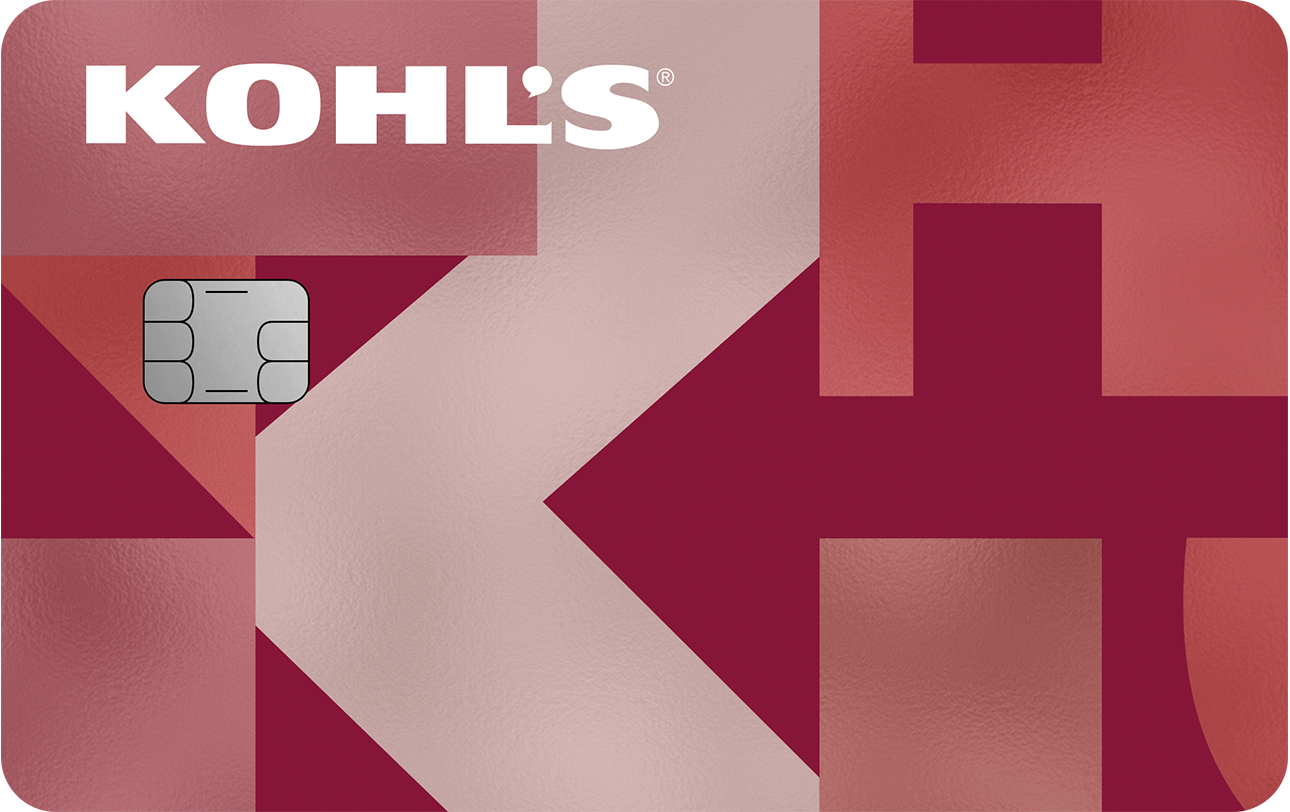
Image source: Capital One
First-Time Setup for Legacy Cardholders
If you had an active Kohl's charge account prior to the transition and have not yet logged in to the new system, your old username and password will not work. You must create a new set of credentials linked to Capital One's infrastructure. To do this:
- Navigate to the official Kohl's Capital One portal.
- Locate and click the "Set Up My Account" button (typically found below the main login fields).
- Provide your 16-digit Kohl's card number.
- Enter your Date of Birth and Social Security Number to verify your identity.
- Create a new, secure username and password.
Once registered, you can use these credentials on both the desktop website and the Capital One mobile app. Many users find that downloading the app provides a more stable experience, particularly when checking balances while standing in line at a retail location.
How to Pay Your Kohl's Bill Online or by Phone
Capital One offers multiple avenues for settling your monthly statement. Choosing the right method depends on how close you are to your due date and whether you prefer automated systems or manual control.
Online Payments via the Dashboard
The most reliable method is paying directly through your online dashboard. Once logged in, navigate to the "Make a Payment" tab. You will need to link a valid checking or savings account using your routing and account numbers. Debit cards are generally not accepted for online portal payments.
You have two primary options here:
- One-Time Payment: Select a specific date and amount (Minimum Due, Statement Balance, or Custom Amount). Payments submitted before 8:00 PM Eastern Time typically post the same day.
- Autopay: Highly recommended to avoid late fees. You can set the system to automatically draft your statement balance on your due date every month.
Automated Phone Payments
If you do not have internet access or are locked out of your online account, you can utilize the automated phone system. By calling 866-887-8884, you can navigate the voice prompts to check your available credit and submit a payment using a linked bank account. Have your 16-digit card number and bank routing information ready before calling.
In-Store Payments and the "Expert Move"
You can pay your bill at any physical Kohl's register. However, in-store payments must be made using cash, a check, or a debit card. You cannot pay a Kohl's credit card bill using another credit card.
The Kohl's website has a strict limitation: you can only use one credit card per online transaction. If you want to make a large purchase but are near your Kohl's credit limit, the website will decline the transaction. The workaround? Go to a physical store. In-store registers allow cashiers to split a single transaction across multiple payment methods, allowing you to max out your remaining Kohl's credit and pay the balance with a different card.
What Is the Difference Between the Kohl's Store Card and the Kohl's Visa?
When you apply for a Kohl's credit account, you are actually being considered for two distinct products. Which one you receive depends entirely on your creditworthiness at the time of application. Understanding which card you hold is vital, as their utility outside of Kohl's stores differs significantly.
- The Closed-Loop Store Card
- This is the standard "Kohl's Card." It is a closed-loop retail card, meaning it can only be used to make purchases at Kohl's stores or on Kohls.com. It cannot be used to buy groceries, pay for gas, or shop at other retailers. According to Credit Karma insights, this card is highly accessible, often approved for individuals with "Fair" to "Good" credit scores, with starting limits frequently around $300.
- The Open-Loop Kohl's Rewards® Visa®
- This is an upgraded version of the card. Because it operates on the Visa network, it is an open-loop card that can be used anywhere Visa is accepted worldwide. It requires a higher credit score for approval. Visually, it looks almost identical to the store card, with the only major differentiator being the Visa logo printed in the bottom right corner.
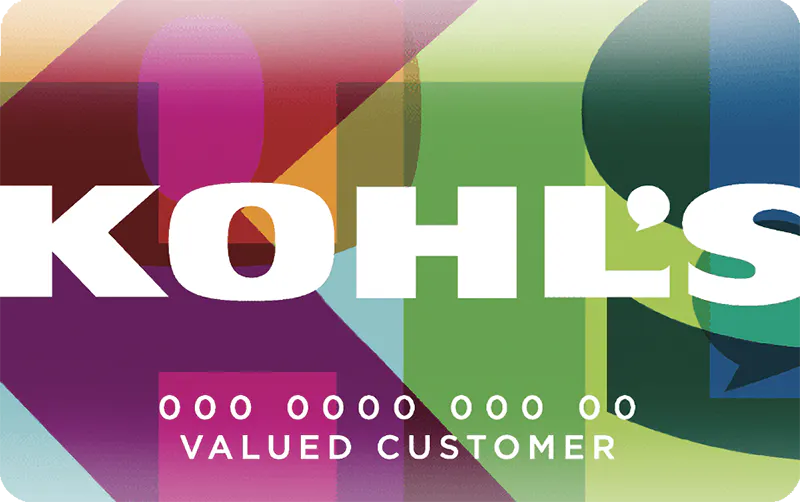
Image source: Intuit Credit Karma
Feature Comparison
| Feature | Kohl's Store Card | Kohl's Visa Card |
|---|---|---|
| Acceptance | Kohl's & Kohls.com only | Anywhere Visa is accepted |
| Kohl's Rewards Rate | 7.5% | 7.5% |
| Outside Rewards | None | 3% Gas, 2% Grocery, 1% Misc |
| Typical Credit Needed | Fair to Good | Good to Excellent |
Why Can't I Connect My Kohl's Card to Quicken or Mint?
One of the most persistent complaints among cardholders is the inability to sync their Kohl's account with third-party financial aggregators like Quicken, Monarch Money, or YNAB. Users frequently report encountering a "505 Error" or endless loading screens when attempting to link their accounts.
The Root of the Connection Error
This issue stems from two distinct problems. First, there is widespread URL confusion within the financial software itself. Many automated tools attempt to scrape data from kohls.com (the retail shopping site) rather than the dedicated financial subdomains. Because the shopping site does not host the raw financial data, the connection times out.
Second, and more importantly, community reports indicate that Capital One and Kohl's have implemented strict security blocks against third-party data scraping. According to discussions on the Quicken Community forums, these blocks are intentional measures designed to prevent unauthorized access, but they have the side effect of breaking legitimate financial tracking tools.
The Manual Workaround
Until direct API integrations are restored, users who rely on financial software must use a manual import process. While tedious, it ensures your budgeting software remains accurate:
- Log in to your account at
kohls.capitalone.com. - Navigate to your recent transactions or statements page.
- Look for the "Download Transactions" or "Export" button.
- Select the date range you need and choose the .QFX or .CSV file format (depending on what your software requires).
- Open your financial software and use the "File > Import" function to upload the downloaded document.
How to Maximize Your 7.5 Percent Rewards and Kohl's Cash
The primary draw of the Kohl's credit card is its elevated rewards rate. Standard Kohl's Rewards members earn 5% back on purchases, but cardholders earn a highly competitive 7.5% back. This translates to $7.50 in rewards for every $100 spent.
However, Kohl's utilizes a complex promotional ecosystem. To truly maximize your savings, you must understand the mathematical order of operations when applying discounts.
Image source: Kohl's
The Coupon Stacking Order
Kohl's allows shoppers to stack multiple coupons on a single transaction, but their point-of-sale system applies them in a very specific, non-negotiable order. Understanding this order is crucial because it affects your final out-of-pocket cost.
According to Kohl's official policy, discounts are applied in this sequence:
- Department-specific dollar-off coupons (e.g., $10 off a $50 home purchase).
- Kohl's Cash and general dollar-off rewards.
- Percent-off coupons (e.g., 30% off your entire purchase).
"Because dollar-off discounts are subtracted before percent-off discounts, the mathematical value of your percent-off coupon is always reduced. You are getting 30% off the remaining subtotal, not the original sticker price."
The Math in Action: Imagine you are buying a $100 jacket. You have $20 in Kohl's Cash and a 30% off coupon. The system first subtracts the $20 Kohl's Cash, bringing the subtotal to $80. It then applies the 30% discount to the $80, saving you an additional $24. Your final price is $56. If the system applied the 30% first, your final price would have been $50. This stacking logic is designed to protect the retailer's margins.
MVC Status and Sephora Exclusions
Cardholders who spend $600 in a calendar year achieve "Most Valued Customer" (MVC) status. This tier unlocks additional benefits, most notably access to exclusive monthly free shipping events, which is a significant advantage for frequent online shoppers.
However, shoppers must be aware of the "Sephora Trap." While Sephora operates boutiques inside many Kohl's locations, these purchases are heavily restricted. You cannot earn Kohl's Cash on Sephora purchases, nor can you redeem existing Kohl's Cash to buy Sephora products. You can, however, earn Sephora Beauty Insider points alongside your standard 7.5% Kohl's card rewards.
Common Problems with Kohl's Credit Card Management
While the card offers substantial retail benefits, user reviews and financial analysts frequently highlight several recurring pain points that prospective and current cardholders should monitor.
Aggressive Fraud Department Friction
Capital One employs highly sensitive fraud detection algorithms. While this protects consumers, it frequently results in legitimate transactions being declined, particularly for new cardholders making large initial purchases. Resolving a locked account often requires calling the fraud department directly, answering identity verification questions, and waiting for the system to reset. If you plan to make an unusually large purchase (like buying multiple appliances), it is advisable to notify customer service beforehand.
The 30-Day Expiration Window
Financial experts at NerdWallet note that the biggest drawback of the Kohl's rewards system is the expiration timeline. Rewards are issued in $5 increments on the first day of the following month, and they expire in exactly 30 days. If you are not a frequent shopper, it is incredibly easy to let these rewards lapse. For consumers who struggle to track expiration dates, a standard flat-rate cash-back card may offer better long-term value than the 7.5% Kohl's rate.
Billing Address Limitations
If you travel frequently or live abroad, be aware that Kohls.com cannot process payments linked to international billing addresses. The system strictly requires a billing address within the contiguous United States, Alaska, Hawaii, or an APO/FPO military address. Attempting to use an international address will result in an immediate transaction failure.
Frequently Asked Questions
How do I pay my Kohl's bill without logging in?
If you cannot log in, you can pay your bill by calling the automated phone system at 866-887-8884. You will need your 16-digit card number and your bank routing and account numbers. Alternatively, you can pay in person at any Kohl's store register using cash, a check, or a debit card.
What is the average credit limit for a Kohl's card?
According to industry data, the average credit limit across all cardholders is approximately $1,269. However, new applicants with "Fair" credit scores typically see starting limits between $300 and $500. Consistent on-time payments can lead to automatic credit limit increases over time.
Can I use my Kohl's card at Sephora?
You can use your Kohl's credit card to make purchases at Sephora locations located inside Kohl's stores or on Kohls.com. However, the standard closed-loop store card cannot be used at standalone Sephora retail stores. Additionally, you cannot redeem Kohl's Cash on Sephora merchandise.
How do I report a lost or stolen Kohl's card?
Because the card is managed by Capital One, you must report it lost or stolen through the Capital One portal or by calling their dedicated customer service line immediately. They will freeze the current account to prevent unauthorized charges and issue a replacement card with a new number.
Why did my Kohl's credit limit decrease?
Credit card issuers routinely review accounts. A limit decrease usually occurs for one of two reasons: prolonged account inactivity (not using the card for several months) or a significant drop in your overall credit score reported by the major credit bureaus. Using the card for small, regular purchases can help maintain your limit.
Final Thoughts
The transition of the Kohl's credit portfolio to Capital One has modernized the account management experience, though it requires a brief adjustment period for long-time users. The card remains a top-tier option for frequent Kohl's shoppers, provided you understand the strict rules governing reward expirations and coupon stacking.
- Bookmark the new official portal at
kohls.capitalone.comto avoid redirect errors. - Set up Autopay through the dashboard to ensure you never miss a payment and incur late fees.
- Track your spending to hit the $600 annual threshold required for MVC status and free shipping events.
- Spend rewards quickly, as Kohl's Cash issued from credit card rewards expires strictly in 30 days.
- Use manual exports (CSV/QFX) to update your budgeting software, as third-party API connections are currently blocked.
- Pay in-store if you need to split a transaction between your Kohl's card and another payment method.