How to Get Better Stremio Movie Recommendations Using These 5 Powerful Addons
Why Your Stremio Home Screen Feels Empty and How to Fix It
When you first install Stremio, the interface is clean but noticeably static. You are typically greeted with generic rows like "Popular Movies," "Public Domain," or broad genre categories. For users accustomed to the highly personalized, algorithmic feeds of commercial streaming platforms, this default experience often feels lacking. The root of this issue lies in how Stremio handles metadata out of the box.
By default, Stremio relies on an internal provider called Cinemeta. Cinemeta is a metadata scraper, not a recommendation engine. Its primary function is to catalog what media exists in the world and display it based on general global popularity. It does not track your viewing habits, analyze your ratings, or attempt to predict what you might want to watch next.
To bridge this discovery gap, users must install specific Discovery Addons. Unlike scraper addons (which find the actual video files to stream), discovery addons interface with external databases and algorithms to curate personalized lists. By layering the right combination of these tools, you can completely overhaul the Stremio user interface, replacing generic catalogs with dynamic rows that adapt to your specific tastes.
The Top Stremio Addons for Personalized Movie Recommendations
There is no single tool that handles every aspect of content discovery perfectly. Instead, the most robust setups utilize different addons for different types of recommendations. Here are the premier options available as of 2026.
Watchly for Privacy-Focused Local Recommendations
Privacy-Focused Local Analysis
Many recommendation engines require you to sync your entire watch history to a third-party cloud server. For users who prefer to keep their viewing habits private, Watchly stands out as a strong alternative. Rather than relying on external accounts, Watchly analyzes your local Stremio library and watch history directly.
It processes this local data through the TMDB (The Movie Database) API to generate suggestions. One of Watchly's most appreciated technical features is its smart filtering system. It automatically cross-references its generated suggestions against your local history, ensuring that movies you have already watched are hidden from your recommendation rows. Furthermore, it weights its suggestions by recency, meaning a film you watched yesterday will have a stronger influence on your recommendations than a film you watched three years ago.
More Like This for Contextual Discovery on Every Page
Contextual Multi-Source
Most users look for recommendations on the main home screen, but discovery often happens organically while browsing. The More Like This addon introduces a clever UI modification that changes how you navigate the app.
Instead of just adding a row to your home screen, this addon injects a "Show similar movies/series" button directly into the stream list of any title's detail page. When clicked, it pulls contextual recommendations from a massive array of sources, including TMDB, Trakt, Simkl, Watchmode, and even Gemini AI. This creates an infinite loop of discovery—you can click on a movie, view similar titles, click on one of those suggestions, and continue down the rabbit hole without ever returning to the main menu.
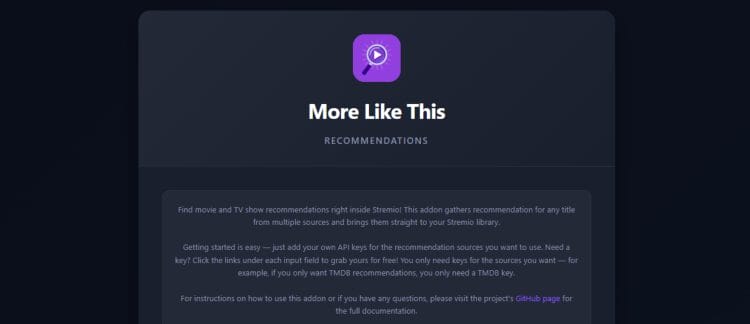
Image source: TROYPOINT
TMDB Dice for Breaking Your Filter Bubble
Randomized Discovery
Algorithmic recommendation engines often suffer from the "filter bubble" effect—if you watch three sci-fi movies, the algorithm will exclusively suggest sci-fi movies, hiding other genres you might enjoy. TMDB Dice is designed specifically to break this cycle.
Rather than analyzing your history, TMDB Dice allows you to set specific parameters—such as a year range (e.g., 1990-1999) or an IMDb rating threshold (e.g., 8.0+)—and then serves up high-quality, randomized suggestions that fit those criteria. According to recent industry guides, tools that introduce controlled randomness are highly effective for users suffering from decision fatigue. (As a bonus discovery tip from the same source, users looking to expand their media beyond video can explore the Radios addon, which provides access to over 93,000 global stations).
How to Use Trakt.tv for Advanced Stremio Discovery
Trakt.tv is a platform that tracks your viewing history across multiple apps and devices. Integrating it with Stremio is widely regarded as the most critical step for unlocking advanced recommendation features. However, the setup process contains several technical nuances that trip up many users.
Why You Should Delete the Official Stremio Trakt Integration
Stremio comes with a built-in "Trakt Integration" option in its core settings. While this is useful for basic "scrobbling" (recording what you watch), power users consistently recommend deleting or disabling the official integration if you want reliable recommendation catalogs.
The official integration is known to suffer from authentication drops, frequently failing to sync custom lists. Instead, the community-developed Trakt addon (specifically the version maintained by developer dexter21767) is considered a premier choice. This community version maintains a much more stable connection to the Trakt API and handles complex custom lists without daily errors.
The Two-Addon Strategy to Keep Your Lists from Disappearing
Trakt API authentication tokens expire every 3 months. When this happens, any addon instance where you are logged in will break, and your custom rows will vanish from Stremio until you re-authenticate.
To prevent the frustrating experience of losing all your curated lists every 90 days, advanced users employ the "Two-Addon Strategy." This involves installing the community Trakt addon twice, serving two distinct purposes:
- Instance 1 (Logged In): Install the addon and log into your Trakt account. Use this instance strictly for your personal watch history and private watchlists. You will need to re-authenticate this instance every three months.
- Instance 2 (Logged Out): Install a second instance of the addon, but do not log in. Use this instance to paste the URLs of public community lists (e.g., "Latest 4K Releases" or "Oscar Winners"). Because this instance does not rely on a personal user token, these public lists will never expire or disappear from your home screen.
CouchMoney for Algorithmic Netflix-Style Rows
Once your Trakt account is successfully scrobbling your Stremio history, you can connect it to CouchMoney.tv. CouchMoney is an external recommendation engine that analyzes your Trakt history and generates highly specific, algorithmic lists based on your tastes.
It creates dynamic lists such as "Because you watched Dune" or "Recommended Sci-Fi." To get these into Stremio, you simply copy the URL of the CouchMoney-generated list from the Trakt website, open the configuration page of your community Trakt addon, and paste the URL into the custom list field. As you watch more movies, CouchMoney automatically updates the list on Trakt, which then automatically refreshes the row on your Stremio home screen.
How to Build a Netflix-Style Discovery Stack in Stremio
Creating a truly dynamic home screen requires layering multiple tools. By combining metadata providers, algorithmic engines, and human curation, you can build a "Discovery Stack" that rivals commercial streaming platforms. Advanced community setups generally follow this four-step implementation process.
Before adding recommendations, you must fix how Stremio displays information. Uninstall the default Cinemeta addon and install the TMDB Addon. TMDB provides significantly higher-quality posters, better localized language support, and accurate "Collection" grouping (ensuring sequels and franchises are linked properly).
Implement the Trakt + CouchMoney workflow detailed in the previous section. This provides your home screen with 2 to 3 rows of highly personalized, constantly updating recommendations based entirely on your recent viewing habits.
Algorithms can be narrow. To add broader discovery, install the Cyberflix or Streaming Catalogs addon. Configure these to display curated rows such as "New on Netflix," "Hulu Originals," or "Award Winners." This gives you visibility into current pop culture trends outside of your personal filter bubble.
For active discovery, integrate an AI search tool like FilmWhisper AI. This allows you to bypass standard title searches and use natural language queries. For example, you can search "movies like Inception but with more action," and the AI will generate a custom catalog row matching that exact description.
Comparison of the Top Stremio Recommendation Tools
Depending on your technical comfort level and privacy preferences, different tools will suit different users. The table below breaks down how the leading recommendation addons compare across key metrics.
| Addon Name | Primary Data Source | Best Used For | Setup Difficulty |
|---|---|---|---|
| Watchly | Local Library / TMDB API | Privacy-conscious users wanting local analysis | Moderate |
| More Like This | Multi-Source (TMDB, Simkl, AI) | Contextual discovery from within movie pages | Easy |
| CouchMoney | Trakt.tv History | Algorithmic, Netflix-style personalized rows | Advanced |
| TMDB Dice | TMDB Database | Randomized discovery based on specific filters | Easy |
| Cyberflix | Various Streaming Platforms | Browsing what is trending on commercial services | Easy |
Image source: RapidSeedbox
Troubleshooting Common Issues with Stremio Recommendation Catalogs
Even with a perfect setup, pulling heavy metadata from multiple external APIs can occasionally cause performance hiccups. If your recommendation rows are failing to load, follow these community-proven troubleshooting steps.
Fixing Empty Rows and API Limits
If a specific row (like a CouchMoney list) suddenly appears empty, the most common culprit is an API rate limit or an expired token. First, check if your Trakt token has passed the 3-month expiration window. If it has, you must uninstall the Trakt addon, reinstall it, and re-authenticate your account. If the token is valid, the external service (like TMDB) may be temporarily rate-limiting requests. Waiting 15-30 minutes usually resolves this automatically.
The 10GB Cache Optimization Fix
When you add multiple recommendation rows (especially image-heavy catalogs from Cyberflix or TMDB), Stremio has to load hundreds of high-resolution posters simultaneously. On devices with limited memory, this can cause the home screen to buffer endlessly or crash.
A highly effective fix is to increase the application's cache size. Navigate to Stremio's core settings (available on PC and Android versions), locate the "Cache Size" dropdown, and increase it to 10GB. This allows Stremio to store poster metadata locally rather than re-downloading it every time you open the app, resulting in a significantly faster, smoother home screen experience.
Re-authentication Checklist
If your setup breaks, follow this exact order to restore it:
- Verify your Trakt.tv account is still active and accessible via a web browser.
- Remove the broken Trakt addon from your Stremio "Installed" list.
- Clear your Stremio cache (or restart the application entirely).
- Reinstall the dexter21767 community Trakt addon and complete the PIN authentication process.
- Paste your CouchMoney custom URLs back into the configuration menu.
Frequently Asked Questions
The Bottom Line: Relying on Stremio's default installation leaves you with a static, uninspired interface. By strategically layering third-party discovery tools, you can transform the application into a highly personalized media hub.
- Replace the default Cinemeta addon with the TMDB addon for superior metadata and accurate franchise grouping.
- Install Watchly if you prefer a privacy-focused recommendation engine that analyzes your local library rather than cloud data.
- Integrate the "More Like This" addon to inject an infinite loop of contextual suggestions directly into movie detail pages.
- Utilize the "Two-Addon Strategy" for Trakt to prevent your public community lists from disappearing when your personal token expires.
- Generate algorithmic, Netflix-style rows by connecting your Trakt history to CouchMoney.tv.
- Optimize your application performance by increasing the Stremio cache size to 10GB to handle heavy poster metadata.